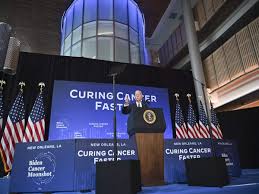
In the fight against cancer, hope shines brighter than ever as President Joe Biden revives an ambitious initiative: the Cancer Moonshot. Launched with a bold vision to accelerate progress in cancer research and treatment, this groundbreaking endeavor aims to unite scientists, healthcare professionals, and advocates in a collective mission to end cancer as we know it. But what exactly does the Cancer Moonshot entail? How will it change the landscape of oncology and impact millions of lives across the nation? Join us as we explore this transformative campaign that seeks not just to treat cancer but ultimately to conquer it once and for all. Buckle up—it's time to delve into a journey toward discovery, innovation, and renewed hope!
Enabling loopback connections in WordPress means making sure your server can make HTTP requests to itself (e.g., calling https://yoursite.com/wp-cron.php from within itself). Loopback is required for: WP-Cron jobs Plugin/theme editors (to verify file write permissions) Some site health checks ( Tools > Site Health ) Automatic updates ✅ What Is a Loopback Request? A loopback is when your WordPress site tries to request a URL from itself using tools like wp_remote_get() or fsockopen() . For example: $response = wp_remote_get ( home_url ( '/wp-cron.php' ) ); If this fails, you might see warnings in Tools > Site Health like: “Your site could not complete a loopback request.” 🛠 How to Enable Loopback Requests Here are the key steps depending on your hosting/server setup: ✅ 1. Make Sure localhost or Domain Resolves Internally Check your server can resolve requests to itself. Use this quick PHP script: Create a file test-loopback.php i...
Comments
Post a Comment