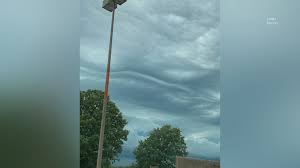
As dark clouds rolled in and thunder rumbled across the skies of the Quad Cities, residents grabbed their cameras and captured a breathtaking display of nature's fury. From dramatic lightning strikes to swirling winds, Tuesday's storms transformed our familiar landscapes into scenes straight out of a blockbuster movie. In this post, we're showcasing stunning images shared by locals who weathered the tempest with an eye for beauty amidst chaos. Join us as we delve into these captivating snapshots that tell the story of a stormy day like no other—one that brought our community together through shared moments of awe and resilience!
Enabling loopback connections in WordPress means making sure your server can make HTTP requests to itself (e.g., calling https://yoursite.com/wp-cron.php from within itself). Loopback is required for: WP-Cron jobs Plugin/theme editors (to verify file write permissions) Some site health checks ( Tools > Site Health ) Automatic updates ✅ What Is a Loopback Request? A loopback is when your WordPress site tries to request a URL from itself using tools like wp_remote_get() or fsockopen() . For example: $response = wp_remote_get ( home_url ( '/wp-cron.php' ) ); If this fails, you might see warnings in Tools > Site Health like: “Your site could not complete a loopback request.” 🛠 How to Enable Loopback Requests Here are the key steps depending on your hosting/server setup: ✅ 1. Make Sure localhost or Domain Resolves Internally Check your server can resolve requests to itself. Use this quick PHP script: Create a file test-loopback.php i...
Comments
Post a Comment