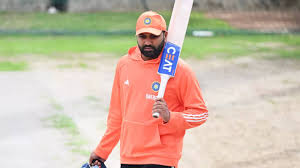
Attention all cricket enthusiasts! Have you ever wondered about the importance of playing domestic cricket? Well, look no further because Indian cricketer Rohit Sharma has some valuable insights to share. In a recent interview, he emphasized the significance of participating in domestic matches when fit and available. Intrigued to know more? Keep reading to discover why Rohit believes that honing your skills at the grassroots level is crucial for success in the world of cricket.
Enabling loopback connections in WordPress means making sure your server can make HTTP requests to itself (e.g., calling https://yoursite.com/wp-cron.php from within itself). Loopback is required for: WP-Cron jobs Plugin/theme editors (to verify file write permissions) Some site health checks ( Tools > Site Health ) Automatic updates ✅ What Is a Loopback Request? A loopback is when your WordPress site tries to request a URL from itself using tools like wp_remote_get() or fsockopen() . For example: $response = wp_remote_get ( home_url ( '/wp-cron.php' ) ); If this fails, you might see warnings in Tools > Site Health like: “Your site could not complete a loopback request.” 🛠 How to Enable Loopback Requests Here are the key steps depending on your hosting/server setup: ✅ 1. Make Sure localhost or Domain Resolves Internally Check your server can resolve requests to itself. Use this quick PHP script: Create a file test-loopback.php i...
Comments
Post a Comment