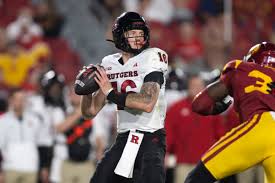
When Athan Kaliakmanis made the pivotal decision to leave the Gophers for Rutgers, it sent ripples through college football that no one saw coming. While most transfer stories focus solely on individual aspirations and team dynamics, this particular move sparked a fascinating transformation on both sides of the field. As Kaliakmanis embraced his new journey in New Jersey, he not only elevated his own game but also breathed new life into two programs desperate for a quarterback renaissance. Join us as we dive into how this unexpected shift reshaped rivalries, redefined expectations, and ultimately led to an intriguing showdown between two teams on the rise!
Enabling loopback connections in WordPress means making sure your server can make HTTP requests to itself (e.g., calling https://yoursite.com/wp-cron.php from within itself). Loopback is required for: WP-Cron jobs Plugin/theme editors (to verify file write permissions) Some site health checks ( Tools > Site Health ) Automatic updates ✅ What Is a Loopback Request? A loopback is when your WordPress site tries to request a URL from itself using tools like wp_remote_get() or fsockopen() . For example: $response = wp_remote_get ( home_url ( '/wp-cron.php' ) ); If this fails, you might see warnings in Tools > Site Health like: “Your site could not complete a loopback request.” 🛠 How to Enable Loopback Requests Here are the key steps depending on your hosting/server setup: ✅ 1. Make Sure localhost or Domain Resolves Internally Check your server can resolve requests to itself. Use this quick PHP script: Create a file test-loopback.php i...
Comments
Post a Comment