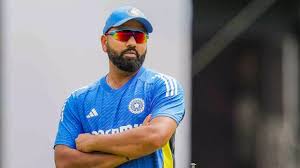
In the ever-evolving world of cricket, where every match can redefine legacies and leadership styles, one name has consistently stood out: Rohit Sharma. As India's captain, he faces monumental pressure to steer his team through the highs and lows of international competition. But what do legends think of his journey? Enter Anil Kumble—former Indian skipper, spin wizard, and a man whose insights carry the weight of experience. In this exclusive piece, we delve into Kumble's observations about Rohit's unique approach to leadership, dissecting both the challenges faced and the triumphs celebrated under his helm. Join us as we unravel intriguing perspectives on how Rohit Sharma has been shaping not just victories but also a new era in Indian cricket!
Enabling loopback connections in WordPress means making sure your server can make HTTP requests to itself (e.g., calling https://yoursite.com/wp-cron.php from within itself). Loopback is required for: WP-Cron jobs Plugin/theme editors (to verify file write permissions) Some site health checks ( Tools > Site Health ) Automatic updates ✅ What Is a Loopback Request? A loopback is when your WordPress site tries to request a URL from itself using tools like wp_remote_get() or fsockopen() . For example: $response = wp_remote_get ( home_url ( '/wp-cron.php' ) ); If this fails, you might see warnings in Tools > Site Health like: “Your site could not complete a loopback request.” 🛠 How to Enable Loopback Requests Here are the key steps depending on your hosting/server setup: ✅ 1. Make Sure localhost or Domain Resolves Internally Check your server can resolve requests to itself. Use this quick PHP script: Create a file test-loopback.php i...
Comments
Post a Comment