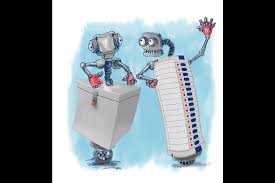
Welcome, fellow citizens and avid voters! In a democracy where every voice matters, the integrity of our electoral process is paramount. As technology continues to revolutionize our lives, it's crucial that we adapt our voting systems accordingly. Today, we delve into an intriguing topic that concerns us all: electronic voting machines. While these devices have brought convenience and efficiency to the polling stations, questions about their reliability have also emerged. Fear not though; in this blog post, we will explore a set of amendments that could make our beloved machines even more foolproof - ensuring trust without compromising accuracy. So fasten your seatbelts and join us on this journey towards a secure and transparent future for electronic voting!
Enabling loopback connections in WordPress means making sure your server can make HTTP requests to itself (e.g., calling https://yoursite.com/wp-cron.php from within itself). Loopback is required for: WP-Cron jobs Plugin/theme editors (to verify file write permissions) Some site health checks ( Tools > Site Health ) Automatic updates ✅ What Is a Loopback Request? A loopback is when your WordPress site tries to request a URL from itself using tools like wp_remote_get() or fsockopen() . For example: $response = wp_remote_get ( home_url ( '/wp-cron.php' ) ); If this fails, you might see warnings in Tools > Site Health like: “Your site could not complete a loopback request.” 🛠 How to Enable Loopback Requests Here are the key steps depending on your hosting/server setup: ✅ 1. Make Sure localhost or Domain Resolves Internally Check your server can resolve requests to itself. Use this quick PHP script: Create a file test-loopback.php i...
Comments
Post a Comment