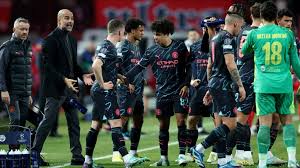
Welcome football fans to another thrilling edition of the Champions League LIVE coverage! Tonight, we witness an epic clash between Red Star Belgrade and the mighty Manchester City. Brace yourselves for a rollercoaster ride of emotions as these two powerhouses battle it out on the pitch. With goals, drama, and nail-biting moments guaranteed, get ready to immerse yourself in this exhilarating showdown. Stay tuned as we bring you live scores, expert commentary, and all the crucial updates that will keep you at the edge of your seat throughout this electrifying encounter. Let's dive straight into the action – it's time for some Champions League magic!
Enabling loopback connections in WordPress means making sure your server can make HTTP requests to itself (e.g., calling https://yoursite.com/wp-cron.php from within itself). Loopback is required for: WP-Cron jobs Plugin/theme editors (to verify file write permissions) Some site health checks ( Tools > Site Health ) Automatic updates ✅ What Is a Loopback Request? A loopback is when your WordPress site tries to request a URL from itself using tools like wp_remote_get() or fsockopen() . For example: $response = wp_remote_get ( home_url ( '/wp-cron.php' ) ); If this fails, you might see warnings in Tools > Site Health like: “Your site could not complete a loopback request.” 🛠 How to Enable Loopback Requests Here are the key steps depending on your hosting/server setup: ✅ 1. Make Sure localhost or Domain Resolves Internally Check your server can resolve requests to itself. Use this quick PHP script: Create a file test-loopback.php i...
Comments
Post a Comment