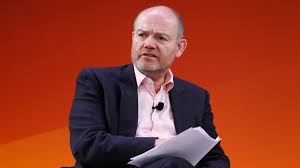
As the dust settles on yet another whirlwind election cycle, CNN finds itself at a crucial crossroads—one that could redefine its identity in an ever-evolving media landscape. With viewers growing increasingly discerning and alternative news platforms rising to prominence, how does this iconic network navigate the choppy waters of post-election reality? In "CNN's Existential Post-Election Season," we delve into the challenges and opportunities facing CNN as it seeks to reclaim its voice, engage audiences anew, and adapt to the shifting expectations of a polarized nation. Join us as we explore what lies ahead for a titan of journalism grappling with change—and how it might just emerge stronger than ever!
Enabling loopback connections in WordPress means making sure your server can make HTTP requests to itself (e.g., calling https://yoursite.com/wp-cron.php from within itself). Loopback is required for: WP-Cron jobs Plugin/theme editors (to verify file write permissions) Some site health checks ( Tools > Site Health ) Automatic updates ✅ What Is a Loopback Request? A loopback is when your WordPress site tries to request a URL from itself using tools like wp_remote_get() or fsockopen() . For example: $response = wp_remote_get ( home_url ( '/wp-cron.php' ) ); If this fails, you might see warnings in Tools > Site Health like: “Your site could not complete a loopback request.” 🛠 How to Enable Loopback Requests Here are the key steps depending on your hosting/server setup: ✅ 1. Make Sure localhost or Domain Resolves Internally Check your server can resolve requests to itself. Use this quick PHP script: Create a file test-loopback.php i...
Comments
Post a Comment