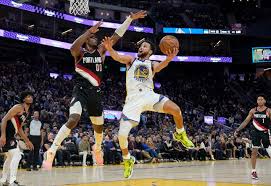
From thrilling comebacks to jaw-dropping three-pointers, the Golden State Warriors have taken the basketball world by storm in recent years. But as they say, all good things must come to an end. In a stunning turn of events, it seems that the rest of the NBA has finally caught up with this legendary team. Prepare yourself for a rollercoaster ride as we dive into how the tides are shifting and witness a newfound balance of power on the court. So grab your jerseys and let's explore how one dynasty's reign is being challenged like never before!
Enabling loopback connections in WordPress means making sure your server can make HTTP requests to itself (e.g., calling https://yoursite.com/wp-cron.php from within itself). Loopback is required for: WP-Cron jobs Plugin/theme editors (to verify file write permissions) Some site health checks ( Tools > Site Health ) Automatic updates ✅ What Is a Loopback Request? A loopback is when your WordPress site tries to request a URL from itself using tools like wp_remote_get() or fsockopen() . For example: $response = wp_remote_get ( home_url ( '/wp-cron.php' ) ); If this fails, you might see warnings in Tools > Site Health like: “Your site could not complete a loopback request.” 🛠 How to Enable Loopback Requests Here are the key steps depending on your hosting/server setup: ✅ 1. Make Sure localhost or Domain Resolves Internally Check your server can resolve requests to itself. Use this quick PHP script: Create a file test-loopback.php i...
Comments
Post a Comment