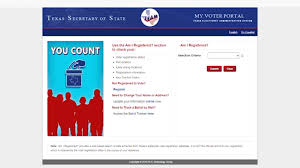
As the clock ticks down to the crucial October 7th voter registration deadline, one Houston resident finds himself caught in a whirlwind of uncertainty. With every passing day, his anxiety mounts as he grapples with a perplexing discrepancy that could jeopardize his chance to make his voice heard in the upcoming elections. In this blog post, we delve into his story—a tale that highlights not only personal stakes but also broader implications for voters everywhere. Join us as we explore how a single glitch can send ripples of panic through our democratic process and what you need to know to ensure your own voting rights are protected before it's too late!
Enabling loopback connections in WordPress means making sure your server can make HTTP requests to itself (e.g., calling https://yoursite.com/wp-cron.php from within itself). Loopback is required for: WP-Cron jobs Plugin/theme editors (to verify file write permissions) Some site health checks ( Tools > Site Health ) Automatic updates ✅ What Is a Loopback Request? A loopback is when your WordPress site tries to request a URL from itself using tools like wp_remote_get() or fsockopen() . For example: $response = wp_remote_get ( home_url ( '/wp-cron.php' ) ); If this fails, you might see warnings in Tools > Site Health like: “Your site could not complete a loopback request.” 🛠 How to Enable Loopback Requests Here are the key steps depending on your hosting/server setup: ✅ 1. Make Sure localhost or Domain Resolves Internally Check your server can resolve requests to itself. Use this quick PHP script: Create a file test-loopback.php i...
Comments
Post a Comment