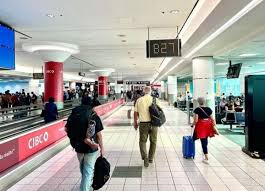
As Labour Day weekend approaches, the call of adventure beckons! Whether you're hitting the open road, boarding a flight to an exciting destination, or exploring your own backyard, this holiday is all about making memories and enjoying a well-deserved break. But before you pack your bags and set off into the great unknown, there's one crucial element that can make or break your travel experience: border crossings. Enter the Canada Border Services Agency (CBSA) with their expert tips to ensure your journey is as smooth as possible. In this blog post, we'll unveil CBSA's top strategies for navigating customs like a pro—because nothing should stand between you and that long-awaited getaway! So grab your passport and let's dive into how to make this Labour Day weekend not just memorable but seamless too!
Enabling loopback connections in WordPress means making sure your server can make HTTP requests to itself (e.g., calling https://yoursite.com/wp-cron.php from within itself). Loopback is required for: WP-Cron jobs Plugin/theme editors (to verify file write permissions) Some site health checks ( Tools > Site Health ) Automatic updates ✅ What Is a Loopback Request? A loopback is when your WordPress site tries to request a URL from itself using tools like wp_remote_get() or fsockopen() . For example: $response = wp_remote_get ( home_url ( '/wp-cron.php' ) ); If this fails, you might see warnings in Tools > Site Health like: “Your site could not complete a loopback request.” 🛠 How to Enable Loopback Requests Here are the key steps depending on your hosting/server setup: ✅ 1. Make Sure localhost or Domain Resolves Internally Check your server can resolve requests to itself. Use this quick PHP script: Create a file test-loopback.php i...
Comments
Post a Comment